Videography 101 – How to Shoot a Video Using a DSLR Camera
In this video we will be seeing the entire process of shooting a video using a DSLR camera. Here are some of the things that will be covered:
- Lighting / Video Light / Modifier
- Tripod and Its Usage
- Resolution
- Frame Rate
- Shutter Speed (180 degree Shutter Rule)
- Aperture
- ISO
- Focusing
This video is from our Vlogging for Beginners Course
Video Summary:
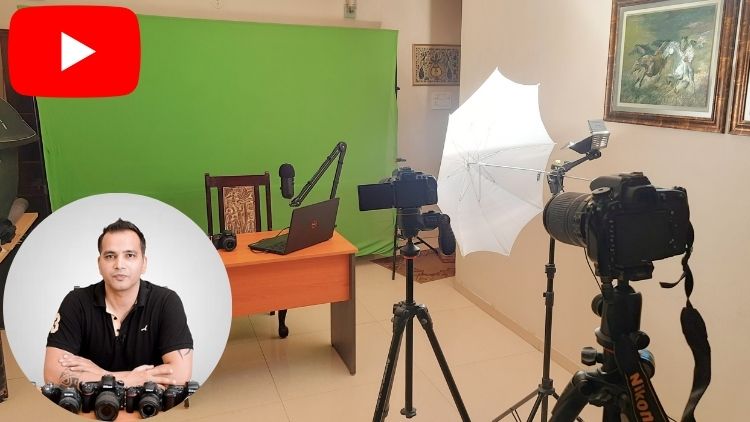
This tutorial demonstrates the step-by-step setup for recording stationary vlogs (talking-head style) indoors. The host covers equipment (camera on tripod, external lavalier mic, continuous video light with umbrella modifier), camera settings (Full HD, 24fps, shutter speed 1/50s, wide aperture like f/1.8 for blurred background, adjusting ISO for exposure), and focusing techniques. The preferred method uses face-priority autofocus: after composing the shot, the host stands in position and uses a remote shutter to take a still photo, locking focus on the face before hitting record. An alternative method involves pre-focusing on a placeholder object. The video concludes by emphasizing the importance of good lighting with a modifier (umbrella) to create soft, flattering light and avoid high-ISO noise.
Timestamps:
0:34 – Shows the setup: Camera on tripod, video light with umbrella modifier, and marks the standing position.
1:46 – Stresses the importance of continuous lighting to avoid noise when shooting indoors.
2:19 – Camera Settings:
* 2:44 – Selects 1080p (Full HD) resolution and 24fps frame rate.
* 4:42 – Sets shutter speed to 1/50s (based on the 180-degree rule for 24fps).
* 5:26 – Opens aperture wide (f/1.8) for a blurred background.
* 6:03 – Adjusts ISO for correct exposure under the video light.
* 6:40 – Sets white balance to Tungsten to counteract the warm light.
6:55 – Focusing Procedure:
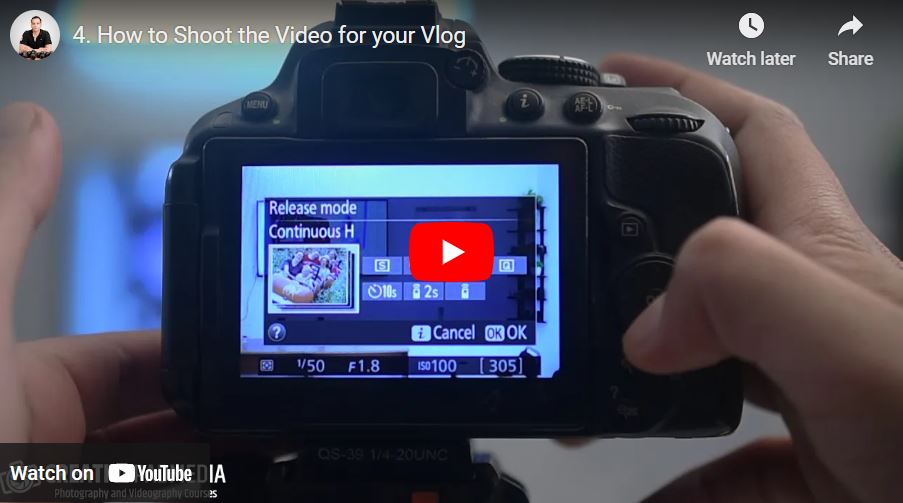
* 7:09 – Enables remote shutter mode.
* 7:26 – Sets autofocus area mode to Face Priority.
* 7:55 – Stands in position and uses the remote to take a still photo, letting the camera lock focus on the face.
* 8:53 – Starts video recording and begins vlogging, now perfectly in focus.
9:05 – Alternative Focusing Method (without face priority): Pre-focus the camera on a tall object placed where you will stand, then switch to manual focus to lock it.
10:17 – Importance of a Light Modifier: Explains that the umbrella softens the hard light, creating more flattering soft light with fewer harsh shadows.
11:36 – Reiterates why good lighting is essential: It allows you to keep ISO low, preventing noisy, grainy footage in indoor shooting conditions.