Tilt Shift Tutorial in Photoshop: By Sadiq Dastagir (Video)



About the Author
Hi there, I'm Kush Sharma, the founder of Creative Pad Media, an organization dedicated to simplifying photography, videography and editing education.
We have over 50 online courses that cover various genres in photography & videography, catering to both beginners as well as professionals. These courses are available via Udemy.com. Our courses have been downloaded in over 180 countries.
I hope to see you inside a course very soon!

In this video we will be seeing how to turn very ordinary looking food photos into dramatic and professional looking ones, using the AI features in Adobe Firefly and Photoshop. Here’s the video: Link to download the images shown in the video: Images used in the video Link to Adobe Firefly: Adobe Firefly Link to…
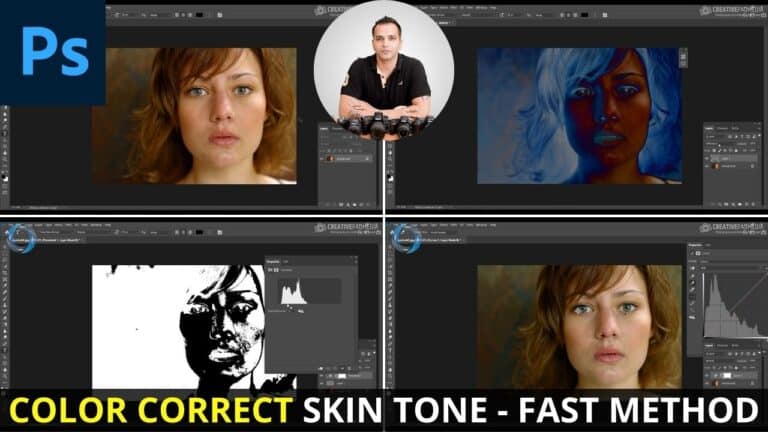
In this video we will be learning how to color correct skin tone in Photoshop using a very quick and easy method that helps us locate the 50% neutral grey areas in an image, and thereby allows us to then use the Curves tool to correct the color with a single click. Here’s the video:…
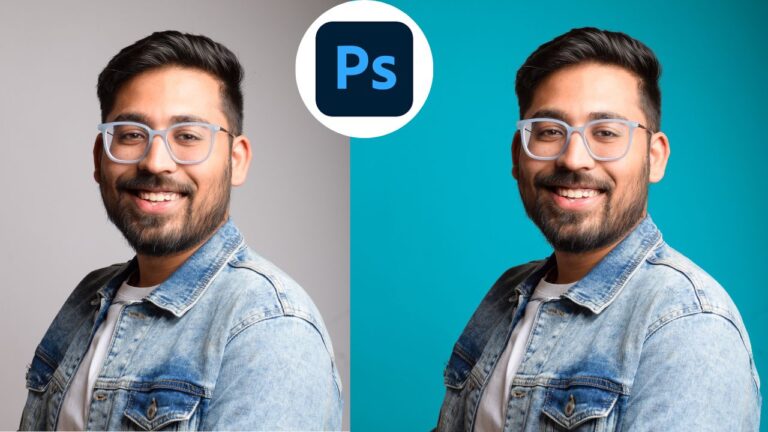
In this video we’ll be looking at how to change the background color in Photoshop. As you will find out, this will depend on good you are at making selections. We will be looking at how to use the Select and Mask tool to fine-tune our selection. Once you learn this skill, you can not…

In this video we will be learning how to add fake hair in Photoshop by making a hair brush from scratch. Creating a hair brush is a great skill to master because a lot of times, when you make selections, some of the hair can be lost with the selection, so you should know how…
It’s very annoying when Photoshop crashes when you are resizing an image. There are many things you can do to solve this but the first solution mentioned below will usually do the trick. The First Solution That Will Work 99% of Times Inside Photoshop, go to Edit menu and then inside Preferences option, select Performance….

In this video I will be teaching you how to make a fake steam effect in Photoshop which can be used to add some drama to beverages like Coffee, Tea and other food items. To learn the art of Food Photography, check out my 4 hour long Food Photography Course using the link below: https://www.udemy.com/course/food-photography-for-beginners-novice-to-pro-on-a-budget/?referralCode=F93EB95D12011EE6F6F3…