
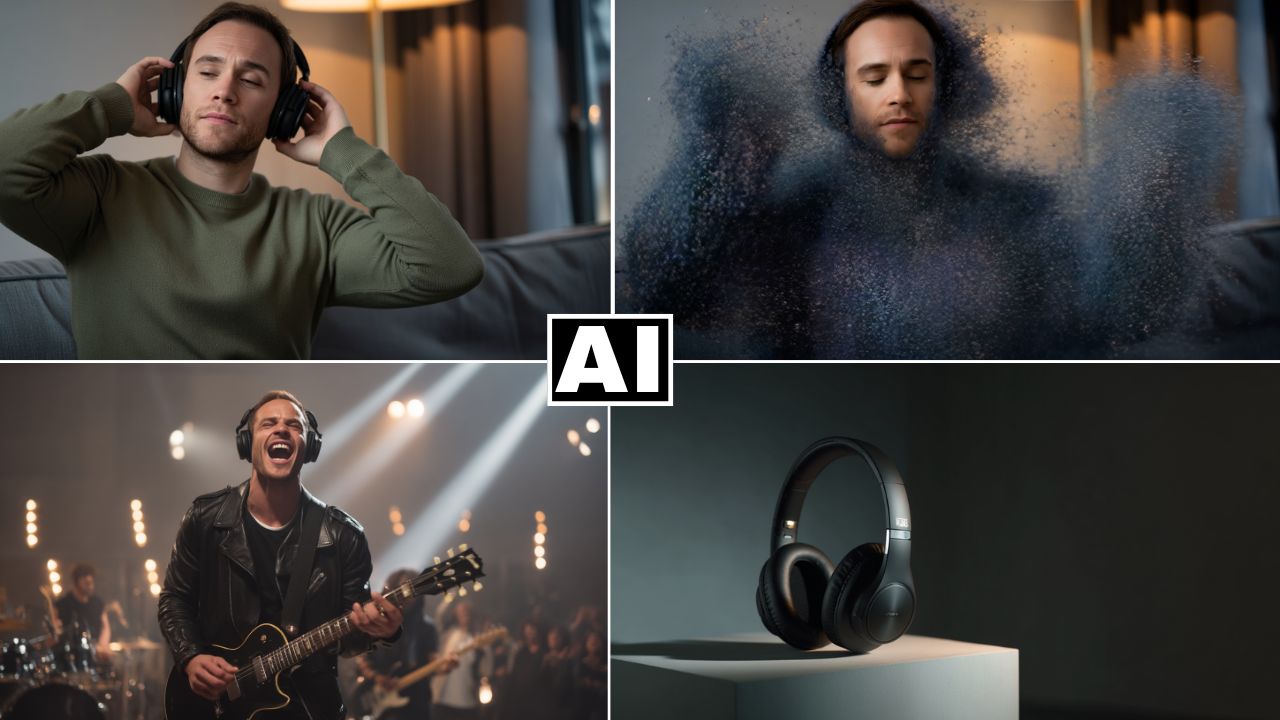
Create a Headphones Video Ad Using Special Effects in Higgsfield AI
In this video we will be seeing how to create a professional video ad for a headphone using the special effects in Higgsfield AI and Kling AI. We will also be using ChatGPT to create the storyboard and Midjourney’s Omni-Reference feature to create images with a consistent character. Here’s the video:
Video Summary
This video tutorial details the process of creating an entire 20-second commercial video for a pair of headphones using a combination of AI tools. The ad features a man looking bored, putting on headphones, disintegrating, and then appearing as a rock star on stage [01:57].
Here is a brief summary of the creation process:
- Storyboard Generation: The process begins with ChatGPT to generate the initial concept and a frame-by-frame text and visual storyboard (six frames total) [01:17].
- Image Generation: To achieve photorealistic results, the storyboard prompts are used to generate the six base images in Midjourney [03:18].
- Character Consistency: The Omni Reference feature in Midjourney is crucial for ensuring the same subject appears across all frames [04:00].
- Video Generation (Disintegration Effect): The key disintegration scene [07:54] is created using Higgsfield AI, which allows applying specific visual effects to an uploaded image [01:00], [12:26].
- Other Video Clips: The remaining clips are generated using Kling AI (version 2.1 master) and sometimes Runway for better results, based on detailed prompts from ChatGPT [09:07].
- Assembly: All generated video clips are then stitched together in a video editor like Premiere Pro with basic transitions [14:48].
Important Links
Link to Higgsfield AI:
For other important links to the tools shown in the video, please watch the video on YouTube app/website, since the links are in the description of the video.



