How to Remove Noise in Lightroom Classic Using the Detail Tool
In this video, learn how to remove noise from your photos in Lightroom Classic using the Detail Tool. We’ll explore how to reduce grain while preserving important details, helping you achieve clean and sharp results. Let’s get started!
This video is from our Lightroom Classic for Beginners Course.
Video Summary:
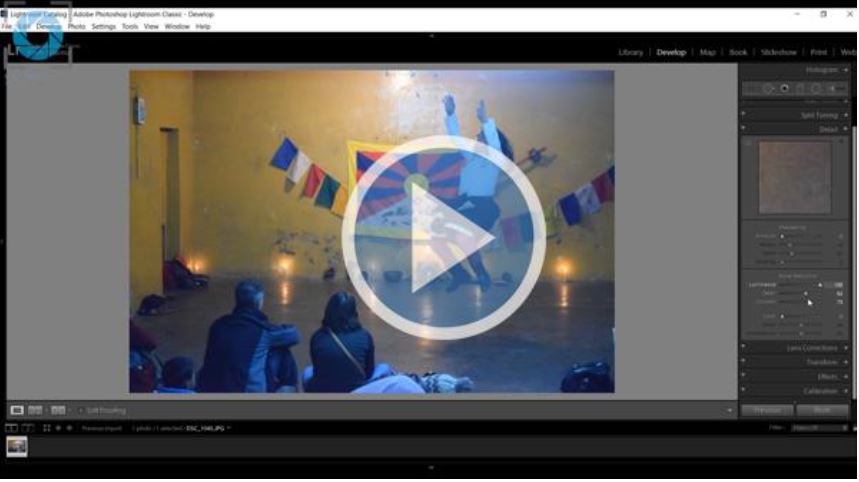
This tutorial demonstrates how to remove digital noise from a photo in Lightroom, using a high-ISO shot of a dance performance as an example. The process centers on the Noise Reduction panel within the Detail module. The primary tool is the Luminance slider, which effectively smooths out grainy noise. The key trade-off is that aggressively reducing noise also smoothens details, making the image look soft or artificial. To counteract this, the Detail and Contrast sliders can be used to selectively restore some sharpness and texture after noise reduction. The video briefly touches on Color Noise Reduction but notes it’s less commonly used as it can undesirably alter the image’s true colors.
Timestamps:
0:00 – Introduces a noisy image taken in low light with a high ISO and fast shutter speed, requiring noise reduction.
1:10 – Navigates to the Detail module > Noise Reduction panel in Lightroom.
1:24 – Focuses on the three key sliders: Luminance, Detail, and Contrast.
1:47 – Demonstrates the Luminance slider: Increasing it (e.g., to 100) dramatically reduces grain/noise but also smoothens and loses fine details.
2:36 – Uses the Detail slider: Explains it helps recover some lost sharpness after noise reduction, balancing between a clean image and preserved texture.
3:30 – Shows a before/after comparison, highlighting the effective noise removal while maintaining acceptable detail.
3:42 – Briefly adjusts the Contrast slider, which can help restore micro-contrast lost during the noise reduction process.
4:18 – Zooms out to show the final, significantly cleaner image compared to the original noisy version.
4:55 – Mentions Color Noise Reduction for removing color speckles but cautions against overuse, as it can unintentionally alter and oversaturate true colors in the image.
6:47 – Concludes that the main workflow involves the Luminance, Detail, and Contrast sliders for most noise reduction tasks.