Make Body Muscular Using FREE AI Tool – Pincel AI Tutorial
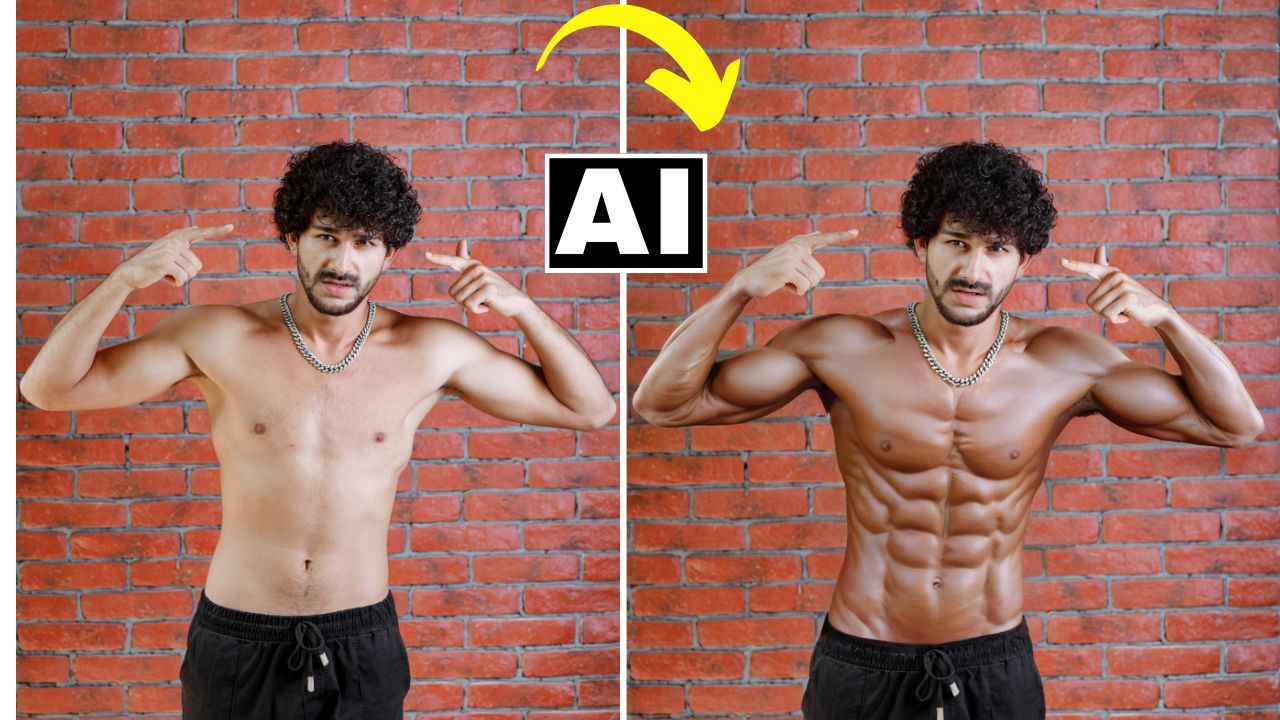
In this video we will be seeing how to transform an ordinary looking physique into something more muscular by using a free AI Tool called Reimagine by Pincel AI. We’ll also be seeing how to use Photoshop to make the final result look more realistic. Here’s the video:
Video Summary
This tutorial by Creative Pad Media explains how to use Pincel AI and Photoshop to realistically enhance a person’s physique in a photograph.
Key Summary Points
- Pincel AI Overview: The tool provides 20 free credits upon signup (using Gmail). These credits do not replenish, and each generation costs one credit [00:42].
- Using the Reimagine Tool: Within the “Tools” menu, the “Reimagine” feature allows you to brush over specific body parts. The creator advises avoiding fingers, as AI often struggles to render them accurately [02:03].
- Prompting and Settings: For best results, use simple prompts like “muscles” [03:07]. The “Keep Outlines” control mode is recommended to ensure the AI-generated muscles stay within the original body’s boundaries [03:41].
- Managing Image Quality: Pincel AI downscales images to approximately 1500 pixels on the longest side [05:00]. If compositing, you may need to resize your original high-resolution image to match [05:31].
- Refining for Realism: To avoid an “over-the-top” look, the video demonstrates taking the result into Photoshop. By using a Layer Mask and adjusting the Density slider (to about 60%), you can blend the muscular layer with the original photo for a natural finish [07:43].
- Subscription Plans: If you run out of free credits, the “Basic Plan” starts at $19/month for over 1,000 credits [08:31].
Conclusion: While the AI tool is powerful on its own, combining it with Photoshop’s blending capabilities yields the most professional and realistic results.
Important Links
Link to the AI tool:
Link to download the image shown in the video: