Edit Only Specific Areas – Nano Banana Pro Inpainting Tool
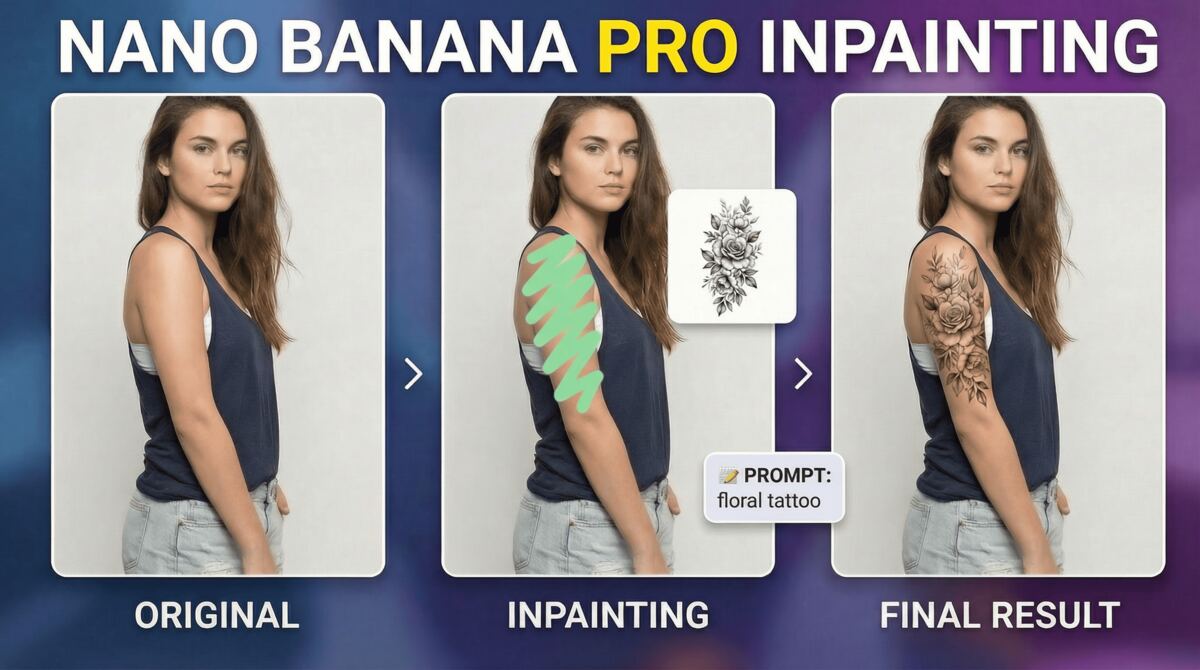
In this video tutorial we’ll getting an in-depth look into the all new Nano Banana Pro Inpainting Tool inside Higgsfiled AI, which allows you to brush over a certain area and then edit in a localized manner. This can be great for use-cases where it’s tough to describe the edit using only a text prompt. We’ll be looking at 7 such examples. Here’s the video:
Video Summary
This video provides a detailed look at the Nano Banana Pro inpainting tool on Higgsfield AI, highlighting its ability to perform highly localized and precise image edits that are difficult to achieve with text prompts alone [00:13].
Key Features & Examples
- Access and Navigation: The tool is accessible via the “Inpaint” or “Edit” menu on hickfield.ai [00:46]. Users can zoom in for better precision, though brush size adjustment is not yet supported [01:32].
- Localized Additions: The narrator demonstrates placing a specific tattoo on a subject’s arm [02:18] and adding labels to specific products within a group [05:42] by masking the desired area and providing a reference image.
- Editing Group Photos: It simplifies complex edits, such as changing a specific person’s clothing in a crowd [03:30] or removing a person entirely from a group shot [03:52].
- Adjusting Pose and Position: The tool can change a subject’s pose (e.g., arm placement) [04:16] or relocate a subject within the frame by masking the target destination [04:52].
- Specific Environmental Edits: Examples include lighting up a single room in a dark building [04:29] and changing text on a specific label without affecting identical text nearby [05:15].
- Composition Tip: For vertical images, adding the phrase “don’t change the composition” to the prompt helps avoid a common zooming bug [02:45].
- Pricing: The feature is not free; it consumes credits and requires at least a basic $9/month subscription [05:53].
Important Links
Images Used – Click here to download