Seedance 2.0 on HIGGSFIELD is the BEST – Complete Review
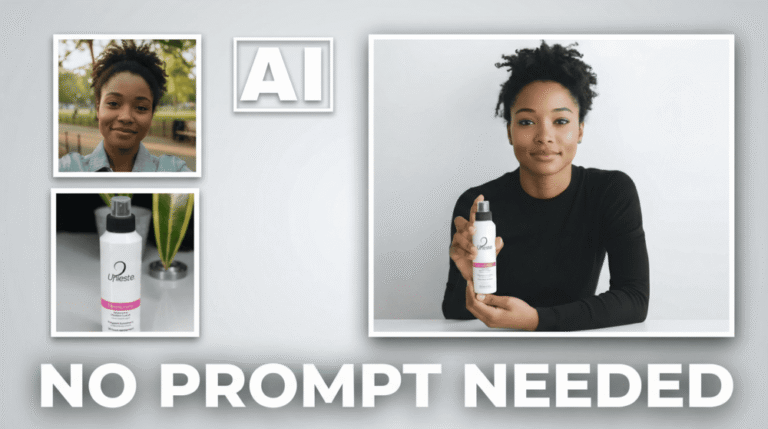
In this tutorial we will be seeing how to access and use Seedance 2.0 on Higgsfield. It has some amazing features like Reference image eligibility, which means you can now come to know if the reference image can be used or not before generating the video. We will also be looking at how to access it on Higgsfield and seeing 5 different examples to see how things work, what to do and what not to do. We will also be seeing a comparison with the same generations produced on the Dreamina website. Here’s the video:
Video Summary
Higgsfield has officially integrated Seedance 2.0, offering a more efficient way to generate AI videos compared to platforms like Dreamina.
Key features and observations from the video include:
- Face Eligibility Feature: A standout tool that pre-analyzes uploaded portrait images for face detection compatibility. This prevents wasted credits by notifying users beforehand if an image is ineligible for generation [00:41].
- Access Requirements: Currently, Seedance 2.0 is limited to the Business Plan, which requires a minimum of two “seats” (doubling the base price) and business domain email verification; generic providers like Gmail are not accepted [01:58], [02:54].
- Cost and Speed: A 15-second, 720p video consumes approximately 90 credits [03:55]. While generations are fast (typically 2–3 minutes), the business plan allows for roughly 33 videos [04:06].
- Content Filtering: The platform employs strict filters that may trigger “false positives” for common words in prompts—such as “bumps”—requiring specific phrasing adjustments to bypass NSFW blocks [06:10].
- Quality Comparison: Although Higgsfield is more reliable for successful generations than Dreamina [11:05], the overall visual quality and prompt-following accuracy of Seedance 2.0 appear slightly reduced in this public release compared to previous iterations [05:31], [06:53].
Important Links