AI Food Shoot Using Seedance 2.5 & Nano Banana Pro – Full Workflow
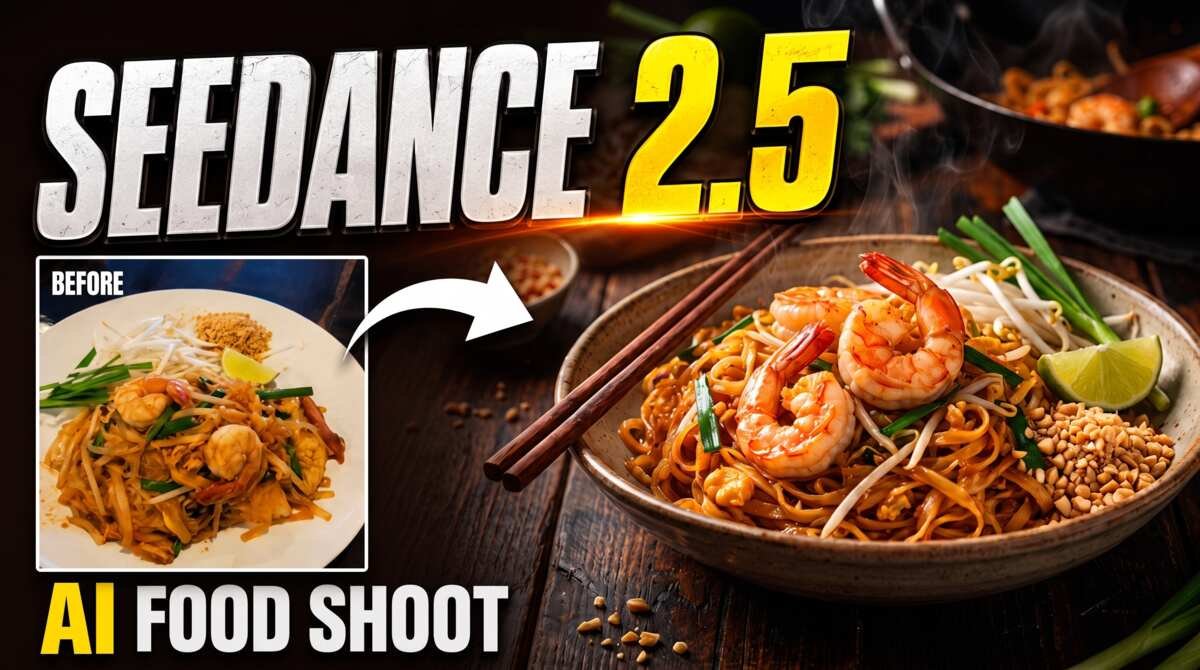
In this tutorial we will be seeing the entire workflow to turn an ordinary food shot into a full fledged professional video and photo shoot using Seedance 2.5 and Nano Banana Pro. Here’s the video:
Video Summary
This video by Creative Pad Media demonstrates an automated, step-by-step workflow for creating professional AI food photography and 30-second promotional videos using Claude, Nano Banana Pro, and Seedance 2.5.
Key Steps in the Workflow
- PDF Workflow Automation [01:00]: Upload a structured “Food Shoot Workflow” PDF to an LLM (such as Claude) to automatically manage the prompting process.
- Style & Concept Selection [01:50]: Upload a casual photo of a dish (e.g., Pad Thai) and select Low-Key (dark/cinematic for main meals) [02:49] or High-Key (bright/clean for desserts).
- 4-Shot Image Generation [03:15]: The LLM generates prompts for four structured angles: two Prep Shots, a Beauty Shot, and a “Let’s Eat” Shot.
- Batch Rendering [04:18]: Use Hicksfield Supercomputer with the Nano Banana Pro model to batch-generate all four image angles in 16:9 or 9:16 aspect ratio [04:55].
- Crafting Video Prompts [06:40]: Re-upload generated images into Claude with specified audio choices (music, sound effects, or voiceover) [07:21] to produce a 30-second video prompt.
- Seedance 2.5 Video Generation [08:20]: Render the video prompt in Seedance 2.5. Pro Tip: Use only the original casual photo as the image reference [08:42] to prevent stiff, overly static animations.
- Demonstration & AI Voiceover [11:30]: Shows a High-Key workflow example featuring a Swiss Roll cake with and without an AI-generated voiceover [12:42].
Important Links