Google Whisk = Best Way to Use NANO BANANA! 10 Reasons With Examples
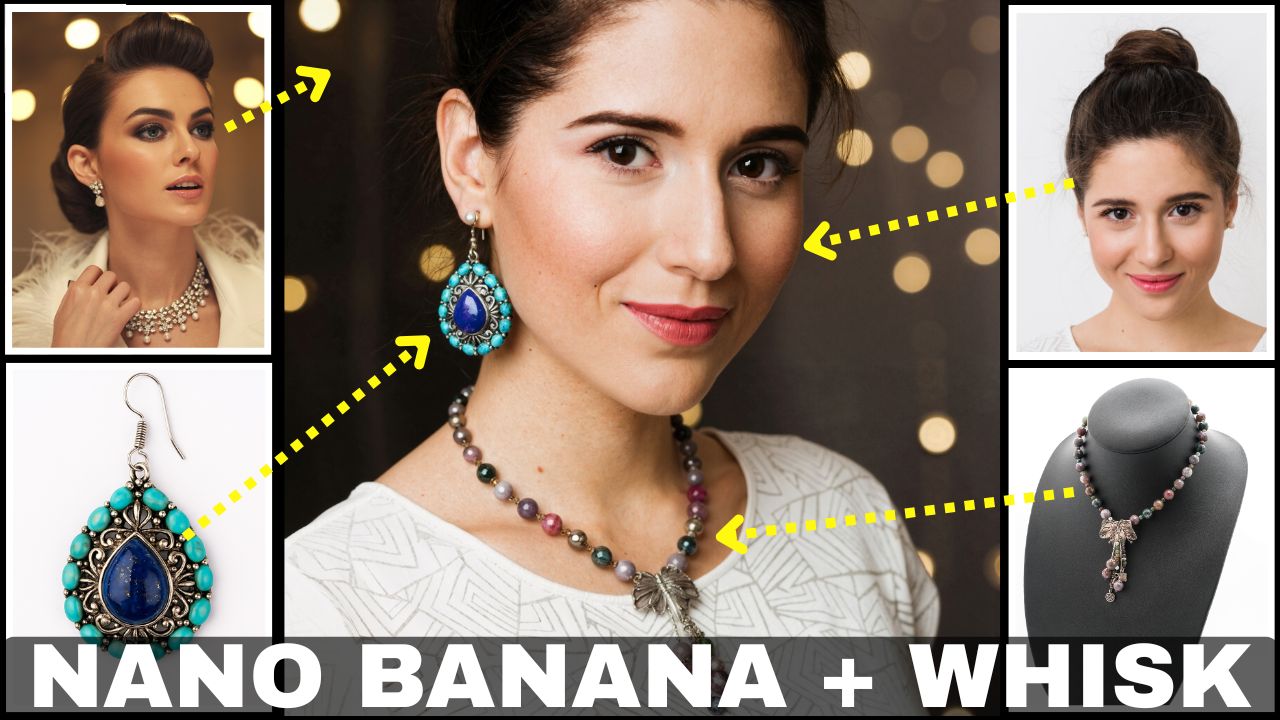
In this video tutorial we will be seeing why Google Whisk AI is the best platform for using Nano Banana. Firs of all we will be understanding what is Google Whisk and then we will be seeing how to access it for free. Then we will be looking at 10 different reasons as to why this is the case along with plenty of examples, right from jewelry edits to food shots. Here’s the video:
Video Summary
This video analyzes Google Whisk, a new, free platform from Google Labs that integrates the Nano Banana AI image editing model, providing an enhanced workflow for creators. The platform is designed more as an image-to-image tool, focusing on contextual images rather than lengthy text prompts [01:15].
The video presents 10 key reasons to use Google Whisk for AI image editing:
- Improved UI and Generations: It offers a great user interface and workflow [02:02], along with the ability to choose the aspect ratio and generate multiple images simultaneously (up to six) [02:19].
- Seamless Iteration: You can easily edit the generated results or the context images (Subject, Style, Scene) directly within the interface, streamlining the iterative process without needing to re-upload [05:50], [09:45].
- Efficient Context: The use of categorized context images—Subject, Style, and Scene—reduces the need for complex text prompts, allowing for simple style or scene transfers [06:56], [18:47].
- Video Generation: The platform includes Google V3 integration, enabling users to turn their generated images into short videos. Users receive 100 free AI credits (equating to five videos) per month [15:13].
- Convenience: All past creations are saved in the “My Library” tab for easy access [19:38], and the image quality remains sharp despite a 1-megapixel cap [19:00].
Important Links
Link to download the images used in the video:
Link to Google Whisk: