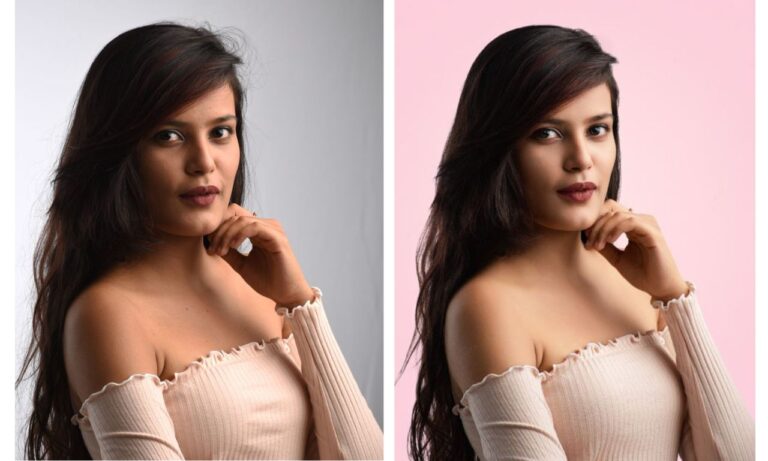
How to Use the Glamour Glow Tool in Snapseed Mobile App
Enhance your photos effortlessly with Snapseed! In this video, I’ll show you how to use the Glamour Glow tool to give your images a professional, dreamy look in just a few taps. Perfect for portraits, landscapes, or any photo that needs a touch of elegance!
This video is from our Snapseed Photo Editing Course.
Video Summary:
This tutorial covers the Glamour Glow Neural Filter in Photoshop, a one-click tool that simultaneously softens skin/texture and adds strong contrast to create a glowing, dreamy, or “fairy tale” effect. The host notes it’s a polarizing tool among purists who prefer manual control but embraces its ability to quickly transform images. The video demonstrates its impact across various portraits, highlighting its best use for softening hard light and shadows (e.g., harsh sunlight) and creating flattering looks, especially for women’s portraits. It also cautions against using it when texture is crucial to the image (like detailed smoke), as the filter’s softening effect can diminish those important details.
Timestamps:
0:05 – Introduces the Glamour Glow Neural Filter, acknowledging it’s both loved and hated for its automatic, transformative effect.
0:36 – Explains the filter’s dual action:
1. Softens hard features, skin, and texture (the opposite of sharpening).
2. Adds dramatic contrast, brightening highlights and darkening shadows to create a “glow.”
1:44 – Demonstrates the effect on a portrait, showing a dramatic before/after that adds a “magical” or “fairy tale” quality.
2:31 – Explores the five different style presets, noting the differences are subtle and a matter of preference.
3:11 – Opens the Settings to show additional controls for Glow strength, Saturation, and Warmth.
3:39 – Applies Glamour Glow to a second portrait, adding warmth to enhance the soft, glowing effect and comparing the textured original with the ethereal result.
4:34 – Offers a general guideline: The tool is often preferred for women’s portraits to create a soft look, while men’s portraits often benefit from retained texture and a rougher feel.
4:58 – Highlights a key use case: Softening harsh, hard light (like direct sunlight) by reducing the definition of hard shadows and edges.
6:14 – Shows a cautionary example: Avoids using Glamour Glow on an image where texture is the subject (e.g., detailed smoke), as the softening effect would destroy the critical detail that makes the shot compelling.