
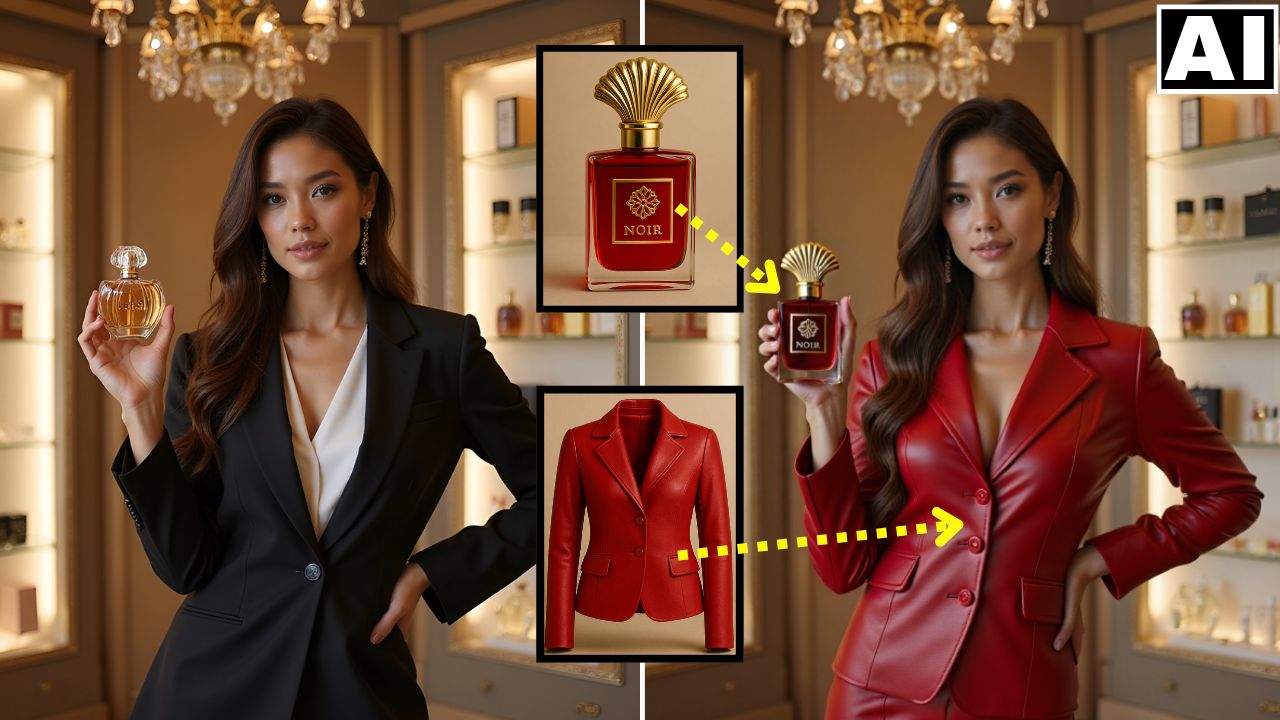
NEW Higgsfield AI Canvas – Add or Replace Anything in an Existing Image
In this tutorial, we will be looking at the brand new Canvas feature in Higgsfield AI, which allows you to add, replace or modify anything in an existing image with almost a single click. It has a Product Placement feature as well Flux Kontext built into it, thereby allowing you to quickly edit your image in any way that you can imagine. Here’s the video:
Video Summary
This video introduces the Higgsfield AI Canvas, a new tool that allows users to easily add, replace, or modify objects in existing images, which the presenter claims surpasses current competition in AI image editing, especially for product placement [00:00].
Here is a brief summary of the video’s key features:
- Product Replacement: The tool allows users to replace objects, such as a perfume bottle or a jacket, with their own uploaded images with a single click [00:12].
- Object Addition: You can add new elements that were not originally in the image, such as having a woman hold a purse [00:35].
- Ease of Use: The process involves uploading an image, using a mask brush to select the area, uploading the replacement image (or simply defining the area for addition), and typing a simple prompt like “change the perfume bottle” [01:24].
- Flux Context Prompting: The tool integrates “Flux Context” prompting, allowing for further modifications to the entire image, such as changing the background to white or removing text from a wall, maintaining consistency across edits [00:40].
- Cost-Effective: The canvas feature is highlighted as a cost-effective way to access both product placement models and Flux Context prompting, making it a comprehensive tool for image editing [06:09].
The tool is presented as a convenient and powerful single solution for complex image editing tasks [01:04].
Important Links
Link to download the images used in the video:
Link to Higgsfield AI: https://higgsfield.ai/
For other important links to the tools shown in the video, please watch the video on YouTube app/website, since the links are in the description of the video.



