How to Use the Latest Generative AI Features in Photoshop (Beta)
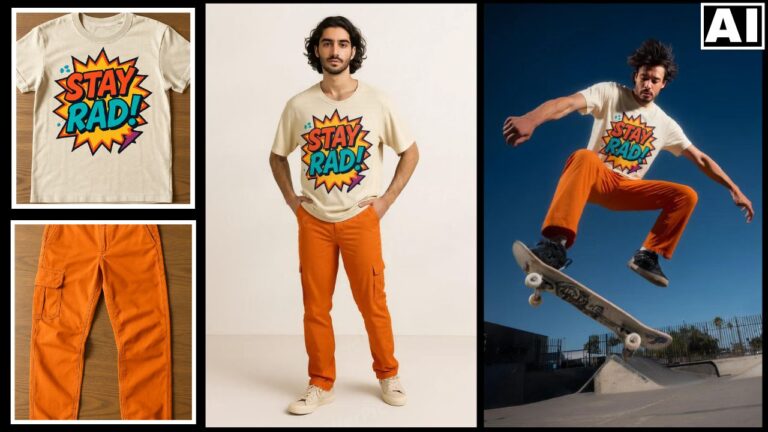
In this video we will be learning about the latest Generative AI Features (Upgrades) in Adobe Photoshop (Beta), that have taken the capabilities of Firefly based tools like Generative Fill to the next level. Here are the different new AI features that we will be seeing in this video:
- 01:54 – Generative Fill With the Reference Image Feature
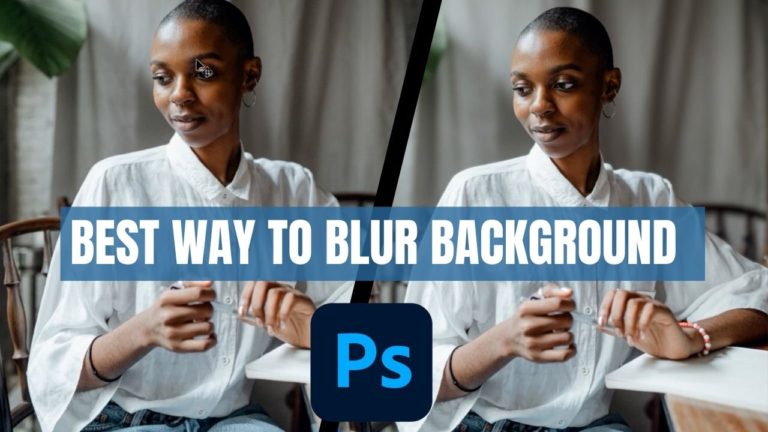
- 09:12 – Remove Background and Generate Background Feature
- 13:21 – Object Selection Tool is More Accurate
- 15:44 – Adobe Firefly Image Generation Feature
- 17:21 – AI Powered Adjustment Brush
Here’s the video:
Video Summary
This video demonstrates the latest generative AI features in Photoshop (Beta), highlighting how Adobe has integrated Firefly 3 directly into the software to streamline photography workflows.
Key Features & Updates:
- Reference Image for Generative Fill [02:08]: Users can now upload a reference photo to guide the AI, ensuring generated objects (like specific clothing or accessories) match the style, color, and angle of a real-world item [05:04].
- Enhance Detail [07:20]: A new upscaling option significantly improves the resolution and sharpness of AI-generated content, addressing previous quality limitations [07:43].
- Generate Similar [08:38]: Once a desirable AI result is found, users can generate additional variations based specifically on that selected output [08:52].
- Improved Background Tools [09:28]: New dedicated buttons allow for more precise background removal, followed by options to either import a file or generate a new environment using AI prompts [10:08].
- Direct Firefly 3 Integration [15:46]: The “Generate Image” button enables full text-to-image generation from scratch within the Photoshop interface, similar to standalone AI tools [16:07].
- Adjustment Brush Tool [17:54]: This tool simplifies selective editing by combining object selection and adjustment layers (like Hue/Saturation or Brightness) into a faster, single-step process [18:52].
The analysis concludes that while some features are still experimental, the Reference Image tool provides a major practical upgrade for achieving realistic results in professional photo editing.
Important Links
This video is from our course called Photoshop Generative AI Editing MasterClass, which has 35 videos and 5 hours of content. It is available via Udemy. Here’s the link to the full course:
Photoshop Generative AI Editing MasterClass