Create a CINEMATIC Wine Video Ad Using Higgsfield AI & Kling AI
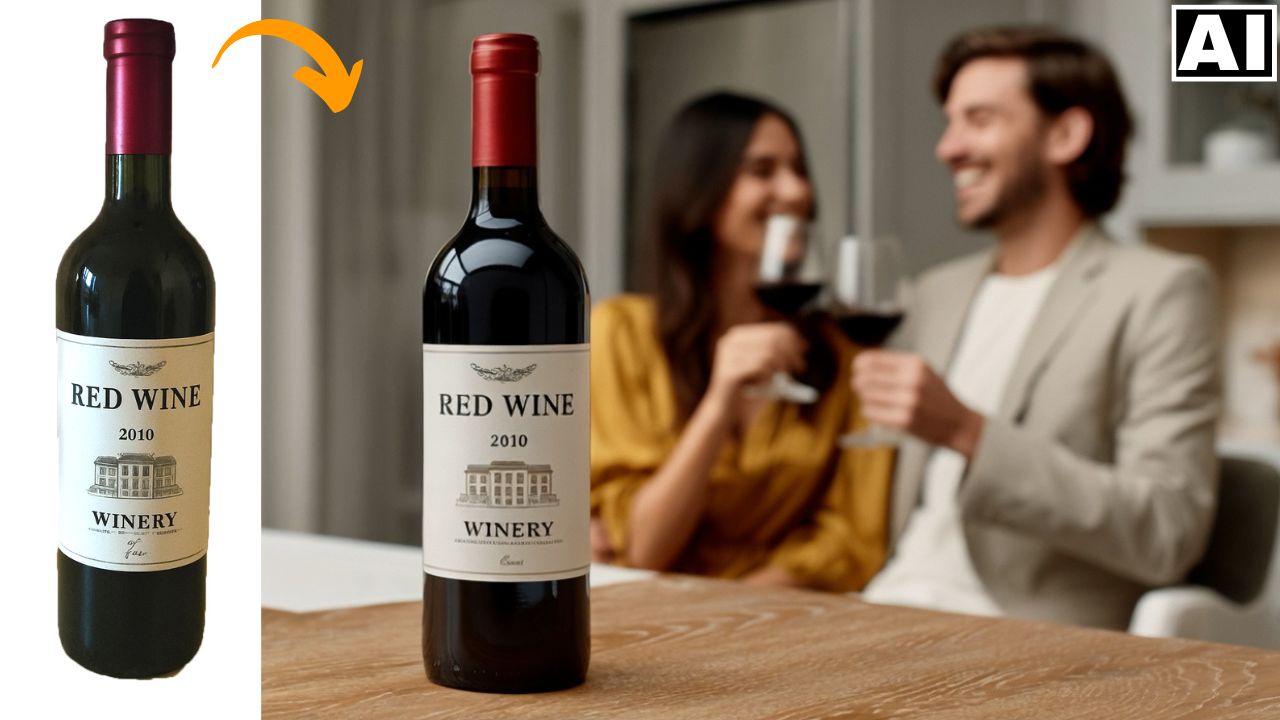
In this video we will be seeing how to create a cinematic video commercial for a wine brand. We will first of all create 3 different images inside Ideogram AI and then replace the wine bottle in them with our own wine bottle using the Magic Fill feature. Then we will turn these images into videos with dramatic camera movements using Higgsfield AI and Kling AI. Here’s the video:
Video Summary
This video tutorial demonstrates how to create a cinematic wine video advertisement using a workflow involving three AI tools: Ideogram AI, Higgsfield AI, and Kling AI [00:12].
Here is a brief summary of the process:
- Image Preparation and Product Placement (Ideogram AI):
- The base images (frames) for the video are first generated in Ideogram AI for product photography [00:44].
- The crucial step of replacing a generic wine bottle with a custom-branded bottle is performed using Ideogram’s paid Magic Fill feature [01:24]. This involves drawing a mask over the bottle, providing prompts for the original and new product, and generating a seamless replacement while maintaining reflections and lighting [03:04].
- Video Generation and Camera Effects (Kling AI & Higgsfield AI):
- Kling AI (specifically the 2 master model) is used for basic camera movements, such as a slow zoom toward the bottle’s label [05:22].
- Higgsfield AI is used for complex, pre-specified camera movements:
- An “arc” motion around the bottle [06:16].
- A “bullet time” effect for the scene where wine is being poured, keeping the environment still as the camera moves [07:25].
- A “focus change” effect for the final scene, dynamically shifting focus from the blurred background couple to the sharp foreground bottle [09:48]. The speaker highlights this focus change effect as particularly impressive, as Higgsfield successfully generated realistic pixel details for the previously blurred subjects [10:33].
- Final Assembly: The generated clips are compiled and edited with transitions in a video editing software like Premiere Pro [11:42].
Important Links
Links to the tools used:
For other important links to the tools shown in the video, please watch the video on YouTube app/website, since the links are in the description of the video.