Can Flux AI Kontext Handle Product Placement When It Comes to Small Text?
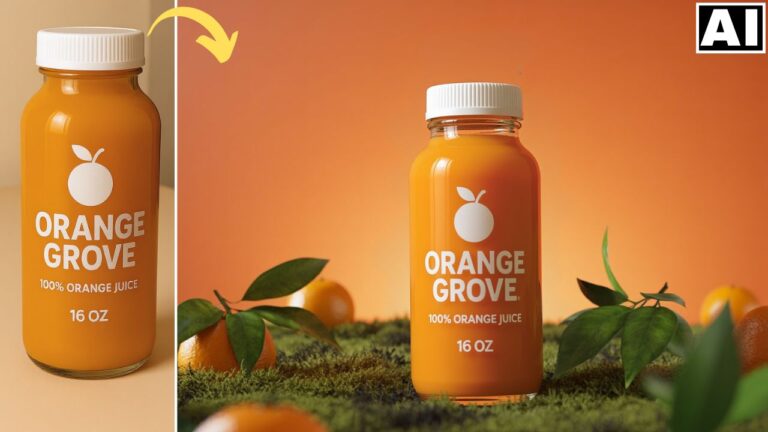
In this video we will be seeing how the latest Flux Kontext model deals with product placement edits in situations where the text on the product is very small. Can it keep the text consistent? Let’s find out! Here’s the video:
Video Summary
This video evaluates the performance of the Flux AI Kontext model in accurately handling product placement, specifically focusing on how well it reproduces small text on products.
Here is a brief summary of the analysis:
- Initial Test: The model successfully generated images for a simple product like a jogging shoe, though the first result was inconsistent [01:33].
- Close-up Text Success: When generating a close-up advertisement for an energy drink can, the Flux Context Pro model was highly accurate, reproducing the text perfectly with no spelling mistakes [02:35].
- Small Text Failure: The main issue emerged when the product was positioned further away from the camera (e.g., a woman holding a small can in a gym). The small text became pixelated and unrecognizable, highlighting a common difficulty for prompt-based AI tools [03:41].
- Comparison and Workaround: The video notes that a free tool like ChatGPT AI produced slightly better results for distant, small text [04:15]. A workable solution for Flux was to force the product closer to the camera by adjusting the prompt, which significantly improved text legibility [04:46].
- Multi-Reference Test: Testing the Flux Context Max model on the Freepik app to combine a human model and the can showed inconsistent results, often failing to maintain the product or leaving the text out of focus when the can was small [07:31].
- Conclusion: The creator concludes that while Flux is a powerful tool, consistently rendering small, accurate text remains a challenge. For now, users must rely on techniques like keeping the product close to the camera or utilizing alternative features from other AI tools [09:02].
Important Links
Link to download the images used in the video:
For other important links to the tools shown in the video, please watch the video on YouTube app/website, since the links are in the description of the video.