Create an Energy Drink Commercial Using FREE AI Tools – ChatGPT AI + Kling AI + Invideo AI
In this video we will be looking at the entire process of creating a commercial video for an energy drink using AI. We will be using three tools for this – the latest ChatGPT 4o AI Image Generator to generate the images, Kling AI to turn those images into video and Invideo AI to generate the music and the voice over. We will be putting everything together in Adobe Premiere Pro. Here’s the video:
Video Summary
This video provides a comprehensive tutorial on creating a 20-second energy drink commercial using a suite of free AI tools. The process is broken down into six key steps [01:02].
Key Takeaways:
- Scripting & Storyboarding (ChatGPT): Use ChatGPT to draft the commercial’s script and generate a storyboard. Storyboarding is crucial for visualizing composition and maintaining character consistency across frames [02:53].
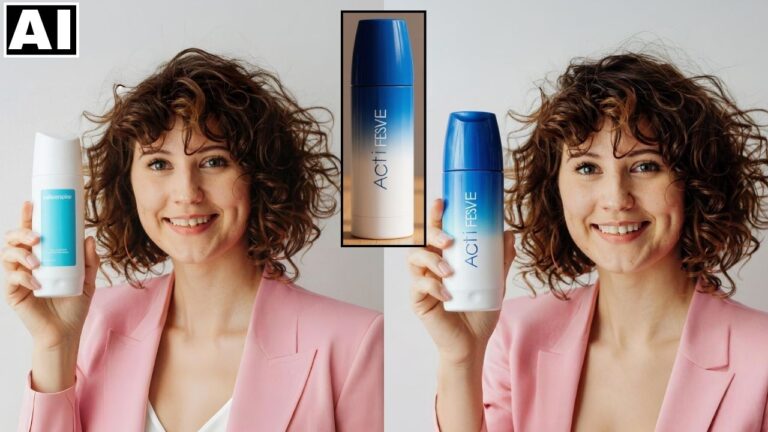
- Image Generation: High-resolution images are generated from the storyboard frames. To ensure realism, the creator suggests using Ideogram.ai for specific frames if ChatGPT’s output appears too “AI-ish,” followed by a face-swapping tool to maintain consistency [06:26, 07:11].
- Motion (Kling AI): Images are converted into 5-second videos using Kling AI. Motion prompts from ChatGPT help guide the AI in creating cinematic, realistic movements [07:33, 08:40].
- Sound Effects: Kling AI is also used to generate specific synchronized sounds, such as the satisfying “sip” of a drink [09:21].
- Voiceover & Music (InVideo AI): InVideo AI is utilized solely to generate the background music and the motivational voiceover, which are then extracted for the final edit [11:23].
- Final Assembly: The video clips, music, and voiceover are combined in editing software (like InShot or Premiere Pro) to produce the final 20-second commercial [14:21].
The tutorial highlights how these tools can lower the barrier to entry for professional-quality video production [15:54].
Important Links
Link to download the images shown in the video:
For other important links to the tools shown in the video, please watch the video on YouTube app/website, since the links are in the description of the video.