Create Your AI TWIN Avatar Using Higgsfield Soul + HeyGen AI + ElevenLabs AI
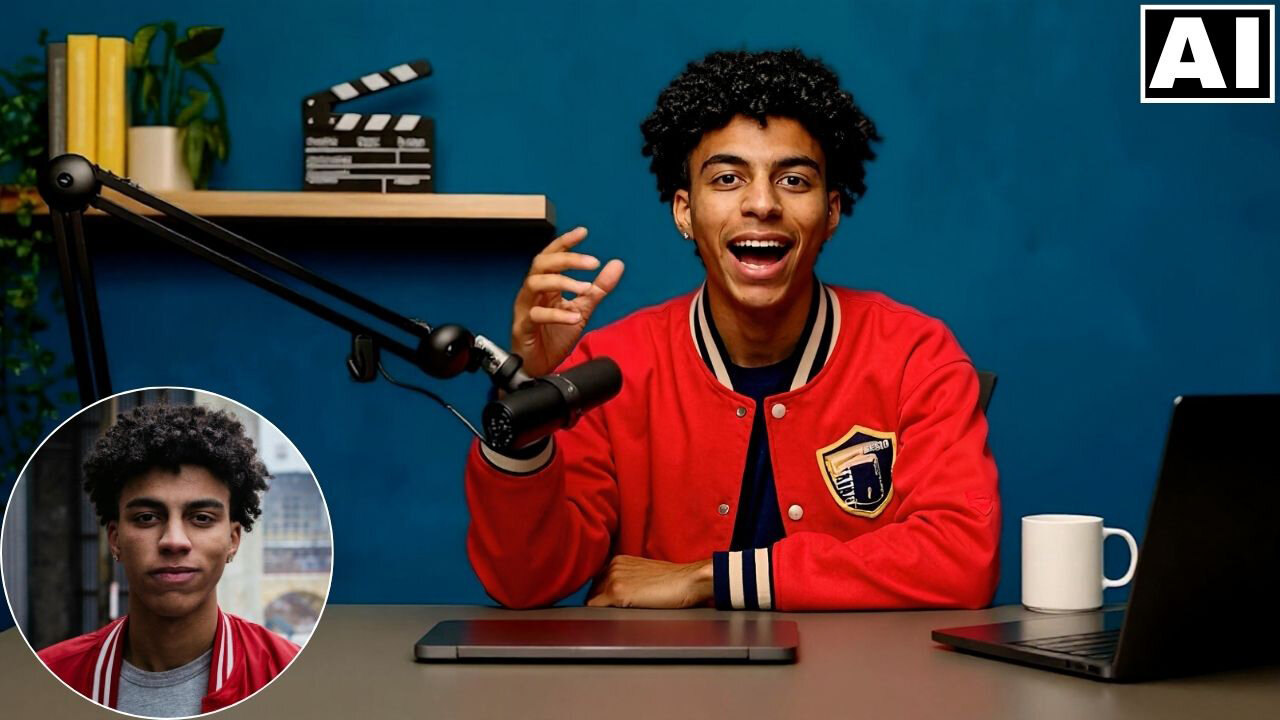
In this video we will be seeing how to create a realistic AI talking avatar head from an real life headshot, using HeyGen AI, where the base image will be created using Higgsfield Soul and Flux Kontext. We will also be using Enhancor AI to make the skin texture more real and ElevenLabs AI for the real sounding voice-over. Here’s the video:
Video Summary
This video demonstrates a workflow for creating a hyper-realistic talking AI avatar (or “AI twin”) using a combination of mostly free tools.
- Image Generation:
- [00:59] First, use ChatGPT to generate a detailed image prompt based on your original headshot.
- [01:15] Use Higgsfield Soul to generate a high-quality, creative reference image based on that prompt.
- [03:43] To integrate your own face, use OpenArt (specifically the Flux Context model). Upload both the Higgsfield image and your headshot as “Omni references” to combine the creative style with your facial features.
- Enhancement (Optional):
- [05:27] If the result looks too “polished,” use Enhancer AI to add realistic skin texture and remove the artificial look.
- Audio & Animation:
- [07:08] Generate a realistic voiceover using ElevenLabs. The creator recommends using the “Alpha v3” model for better emotion.
- [06:43] Finally, use HeyGen to animate the photo. Upload the image and audio, selecting the “Avatar 4” feature.
- [08:36] Ensure “more expressive motion” is checked in HeyGen to achieve realistic head movements and facial expressions.
- Comparison:
- [09:41] The video concludes by comparing HeyGen with Higgsfield Speak, noting that HeyGen currently provides superior lip-syncing and overall realism.
Important Links
Link to HeyGen AI:
Link to download the images used in the video:
For other important links to the tools shown in the video, please watch the video on YouTube app/website, since the links are in the description of the video.