How to Shoot a Video in Manual Mode? – Beginners Tutorial
Learning to shoot video in manual mode can take your film-making skills to the next level. In this beginner-friendly tutorial, we’ll guide you through the essentials of manual mode, including setting the right resolution, frame rate, shutter speed, aperture, and ISO for your video. Stick around, and let’s unlock the creative potential of shooting video in manual mode!
This video is from our YouTube Studio Setup Course.
Video Summary
In this tutorial, the instructor breaks down his solo “green screen” shooting workflow. He demonstrates how to manage camera settings, achieve sharp focus while working alone, and record high-quality audio using an external USB microphone (Blue Yeti) synchronized with a DSLR. The video emphasizes the importance of manual control to ensure a professional look that is easy to edit later during the chroma key (green screen removal) process.
Time Stamps
- 0:00 – Studio Setup: Identifying the primary filming camera (Nikon D5300) and the secondary camera used for behind-the-scenes documentation.
- 0:33 – Composition & Framing: Ensuring the green screen is stretched and fills the frame correctly.
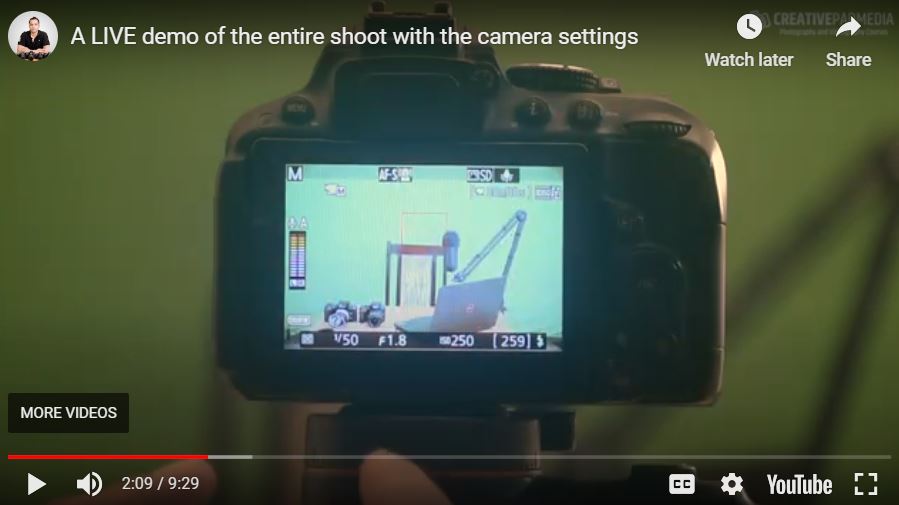
- 0:53 – Frame Rate & Shutter Speed: Setting the camera to 24 fps with a 1/50th shutter speed to achieve natural motion blur.
- 1:59 – Lens Selection: Using a 35mm f/1.8 lens; explaining why he prefers stopping down to f/2.2 or f/2.8 to ensure the subject stays in focus.
- 3:34 – ISO & Exposure: Adjusting ISO (initially 400, later refined to 250) based on visual feedback to avoid overexposure.
- 4:01 – Solo Focusing Technique: Utilizing an infrared remote and Face Priority Autofocus to lock focus while sitting in front of the lens.
- 5:14 – The Test Shot: Taking a still photo to verify focus and lighting before hitting the record button.
- 6:51 – Audio Workflow: Starting a separate recording on the computer for the Blue Yeti mic, which will be synced with the DSLR audio in post-production.
- 8:22 – Movement Constraints: Advice on keeping hand movements “central” to avoid the wrinkled edges of a green screen, which are harder to “key out” in editing.