|

How to Use Harmonization AI Neural Filter Photoshop?

Want to create perfectly blended composites in Photoshop? In this video, we’ll dive into the Harmonization AI Neural Filter—a powerful tool that matches colors, tones, and lighting seamlessly between layers. Whether you’re merging portraits or landscapes, this filter makes your edits look natural with just a few clicks. Stay tuned as I walk you through how to access, adjust, and get the most out of this game-changing Photoshop feature. Let’s get started!

This video is from our Photoshop AI Editing Course.

Video Summary

This lesson focuses on the Harmonization Neural Filter in Adobe Photoshop, a powerful AI tool designed for compositing. Compositing is the art of combining elements from two or more different images into a single cohesive scene. The instructor demonstrates how to take a car from a standalone PNG file and “harmonize” its colors, lighting, and white balance to match a specific background landscape, making the edit look significantly more realistic with just a few clicks.


Time Stamps

  • 0:00Introduction to Harmonization: Defining the filter’s purpose: blending a foreground subject into a background layer using AI.
  • 0:33The Setup: Introducing a PNG car (transparent background) and a high-resolution landscape base layer.
  • 1:08Scaling the Subject: Using Ctrl/Cmd + T to resize the car to fit the perspective of the landscape.
  • 1:45Accessing the Filter: Navigating to Filter > Neural Filters > Harmonization.
  • 2:10Selecting a Reference Image: Telling Photoshop to use the “Background Layer” as the source for color and light matching.
  • 2:44Manual Refinements: Adjusting the Strength slider to find the perfect balance between the original subject and the background’s color cast.
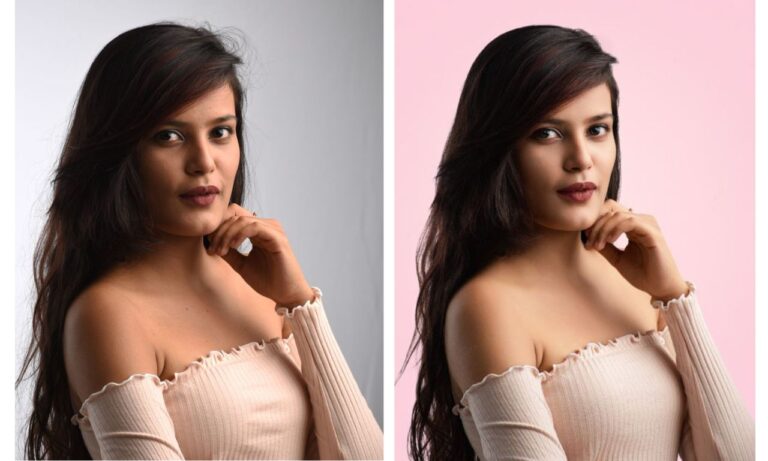
  • 3:10Before & After Analysis: Observing how the AI automatically corrects the white balance and tone to make the car look like it was actually shot in that environment.
  • 3:30The Limits of AI: A reminder that true compositing also requires manual work on horizons, perspective, and shadows.
  • 4:17Why “Style Transfer” was skipped: Explaining that style transfer is more for digital art and painting effects rather than realistic photography.
  • 5:03Homework: An invitation for students to explore the Style Transfer filter on their own to see its artistic capabilities.

About the Author

portrait photographer for portfolio shoot in pune

Hi there, I'm Kush Sharma, the founder of Creative Pad Media, an organization dedicated to simplifying photography, videography and editing education.

We have over 50 online courses that cover various genres in photography & videography, catering to both beginners as well as professionals. These courses are available via Udemy.com. Our courses have been downloaded in over 180 countries.

I hope to see you inside a course very soon!

Similar Posts